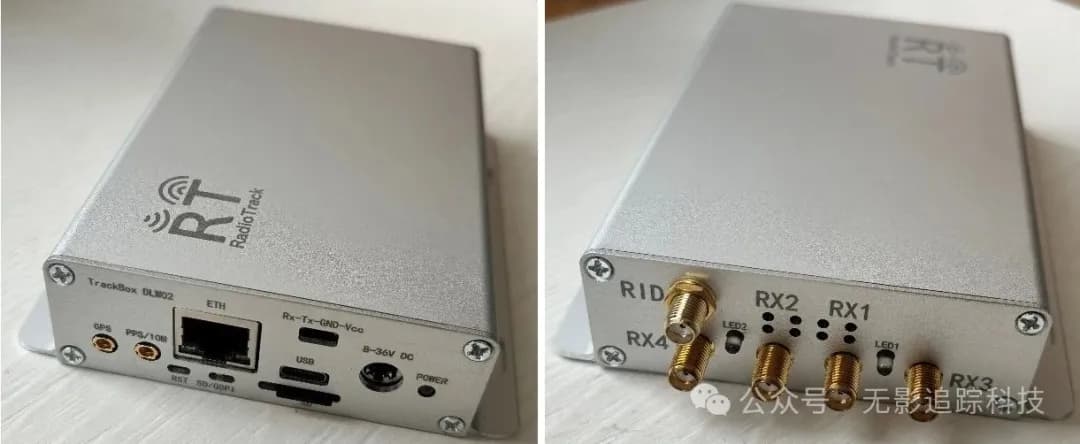
The TrackBox_DLW02 module has recently added Ethernet functionality and upgraded the host software. The host software can display messages from serial or Ethernet ports and refresh the spectrum in real-time. The web map can display drone positioning and trajectories.
The host software and map support both Windows and Linux systems.
1. Serial and Ethernet Protocols
(1) Status Message
Sent approximately every 2 seconds, similar to a device heartbeat.
#,status,%d,%d,%d,%d,%d,%d,%d,%.1f,%d,%f,%f,%f\n| Field | Description |
|---|---|
| Field 1 | GPS status |
| Field 2 | Year |
| Field 3 | Month |
| Field 4 | Day |
| Field 5 | Hour |
| Field 6 | Minute |
| Field 7 | Second |
| Field 8 | Frequency (MHz) |
| Field 9 | Gain (dB) |
| Field 10 | Longitude |
| Field 11 | Latitude |
| Field 12 | Altitude |
Notes:
- GPS status of 1 indicates valid time and coordinate information; 0 means invalid
- Frequency and gain are the receiver's current parameters
- Longitude and latitude represent the current module's position. North latitude and east longitude are positive numbers; south latitude and west longitude are negative
- Example:
#,status,1,2025,2,13,9,45,6,2422.0,65,112.932457,28.231456,95.1(2) Detection Message
Sent only when a drone is detected, once per detected drone.
#,result,%d,%d,%d,%d,%d,%d,%d,%.1f,%d,%f,%f,%f,%s,%s,%d,%.1f,%.1f,%f,%f,%.1f,%.1,%f,%f,%.1f,%.1f,%.1f,%.1f,%f,%f,%.1f,%.1f\nFormat consists of status message fields + drone information (underlined part)
Status Message Fields (Fields 1-12):
| Field | Description |
|---|---|
| Field 1 | GPS status |
| Field 2 | Year |
| Field 3 | Month |
| Field 4 | Day |
| Field 5 | Hour |
| Field 6 | Minute |
| Field 7 | Second |
| Field 8 | Frequency (MHz) |
| Field 9 | Gain (dB) |
| Field 10 | Longitude |
| Field 11 | Latitude |
| Field 12 | Altitude |
Drone Information Fields (Fields 13-29):
| Field | Description |
|---|---|
| Field 13 | Model |
| Field 14 | Serial number |
| Field 15 | Frequency point (MHz) |
| Field 16 | Bandwidth (MHz) |
| Field 17 | Drone longitude |
| Field 18 | Drone latitude |
| Field 19 | Drone distance |
| Field 20 | Drone height |
| Field 21 | Drone altitude |
| Field 22 | North velocity |
| Field 23 | East velocity |
| Field 24 | Ascending velocity |
| Field 25 | Heading angle |
| Field 26 | Pilot longitude |
| Field 27 | Pilot latitude |
| Field 28 | Home point longitude |
| Field 29 | Home point latitude |
Example:
#,result,1,2025,2,13,9,45,6,2422.0,65,112.932457,28.231456,95.1,Air 3,F6N8C236E0030FG9,5816.5,9.0,113.018822,28.053560,1563.1,101.5,184.5,2.1,-5.8,4.3,185.2,113.018799,28.053698,113.018769,28.0536822. Serial Connection
The module uses a Type-C data cable for power supply and serial connection. After the host software connects to the serial port, it prints status messages and prints drone information when drones are detected.
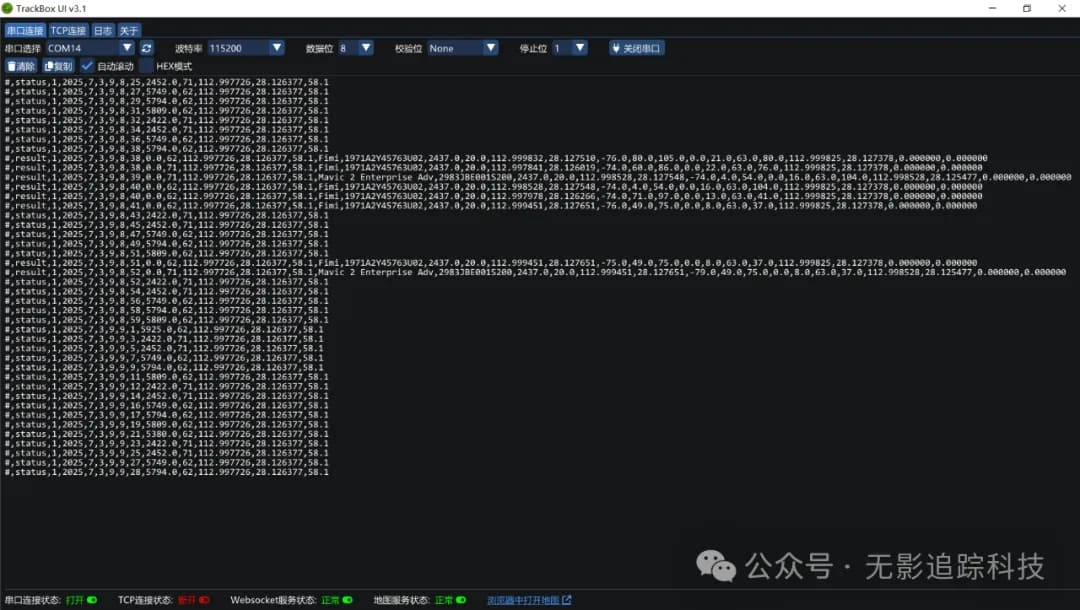
Figure 1: Serial Interface
3. Ethernet Connection
When the module is connected with an Ethernet cable, the default IP address is 192.168.1.10, port 7. Ethernet connection enables spectrum display, requiring configuration of center frequency, gain, and FFT points, with a fixed sampling rate of 61.44M.

Figure 2: Port and Spectrum Configuration
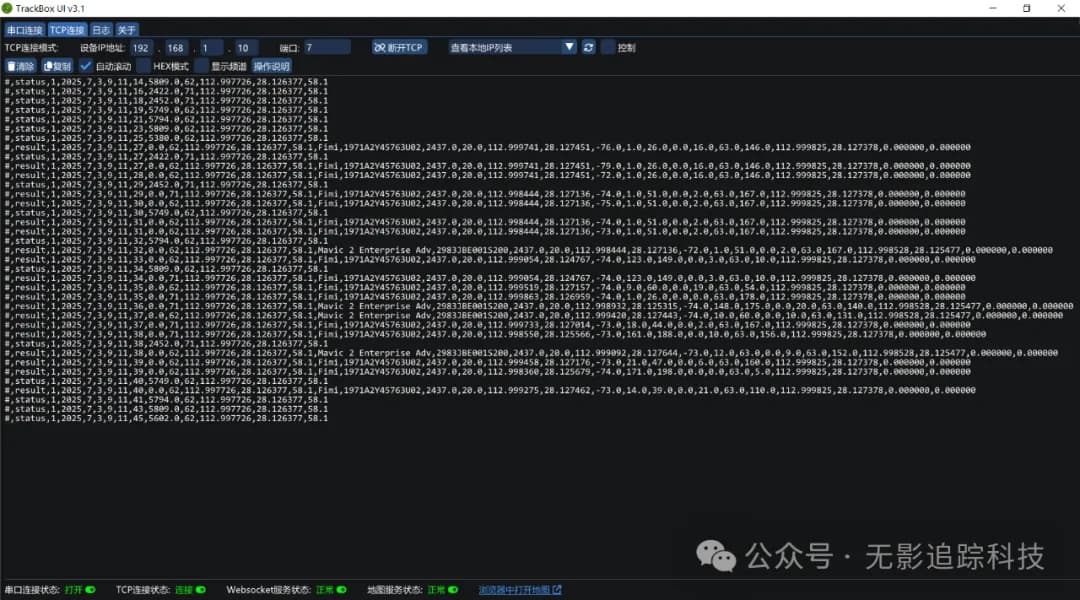
Figure 3: TCP Ethernet Interface
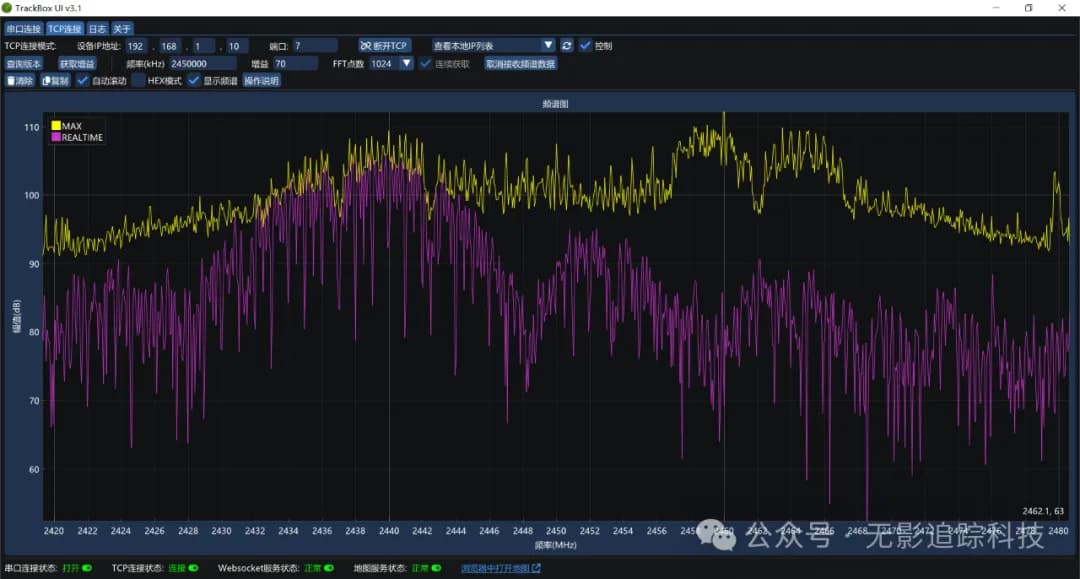
Figure 4: 2.4G Spectrum
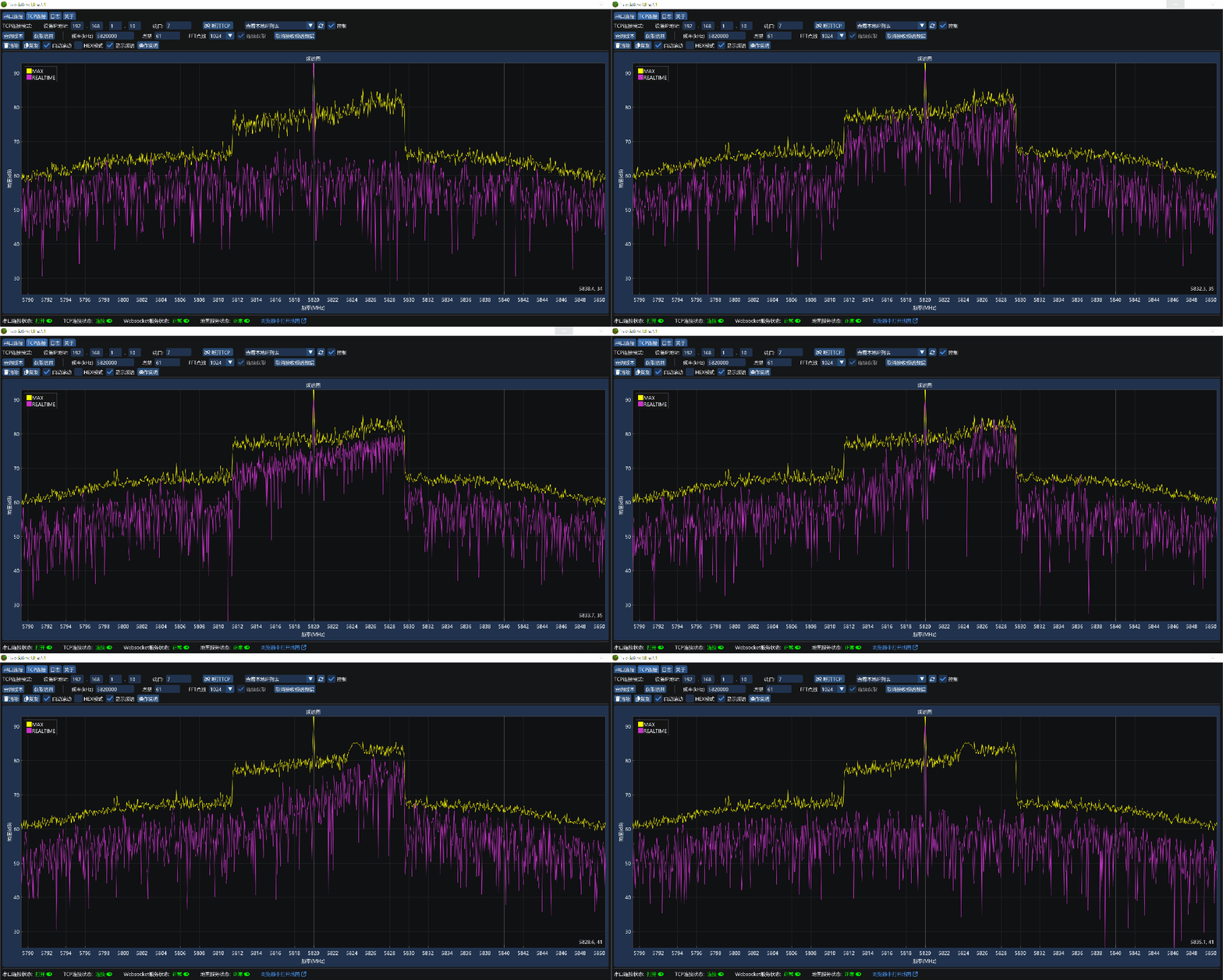
Figure 5: 5.8G Real-time Spectrum (with nearby DJI drone signals)
4. Map Configuration
Open the map link from the bottom of the host software. The webpage connects to the backend service running on the host software, not a network server. For offline maps, the map can be deployed locally.
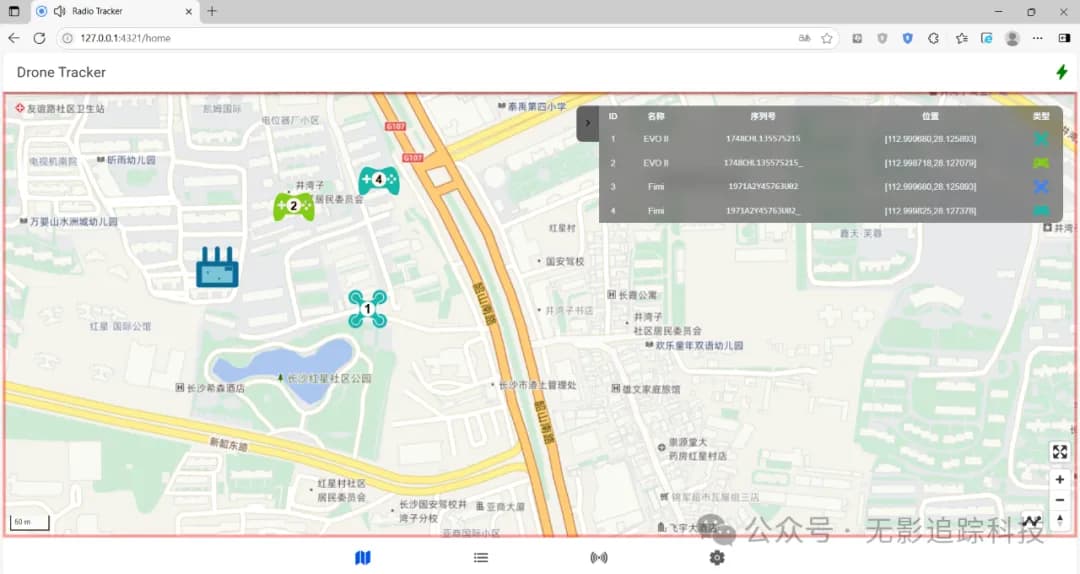
Figure 6: Map Displaying Drone Positioning
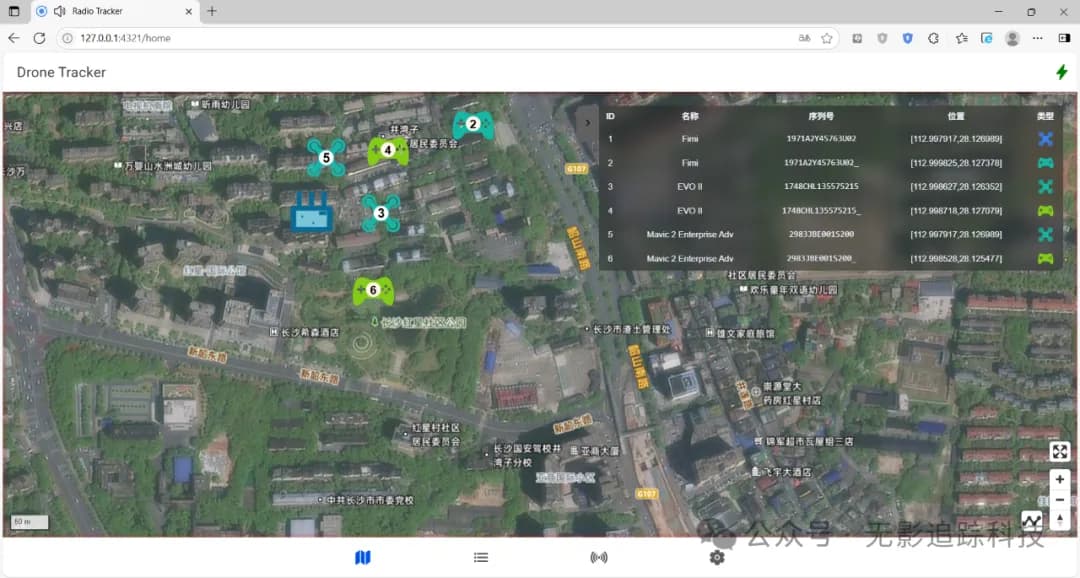
Figure 7: Satellite View Displaying Drone Positioning
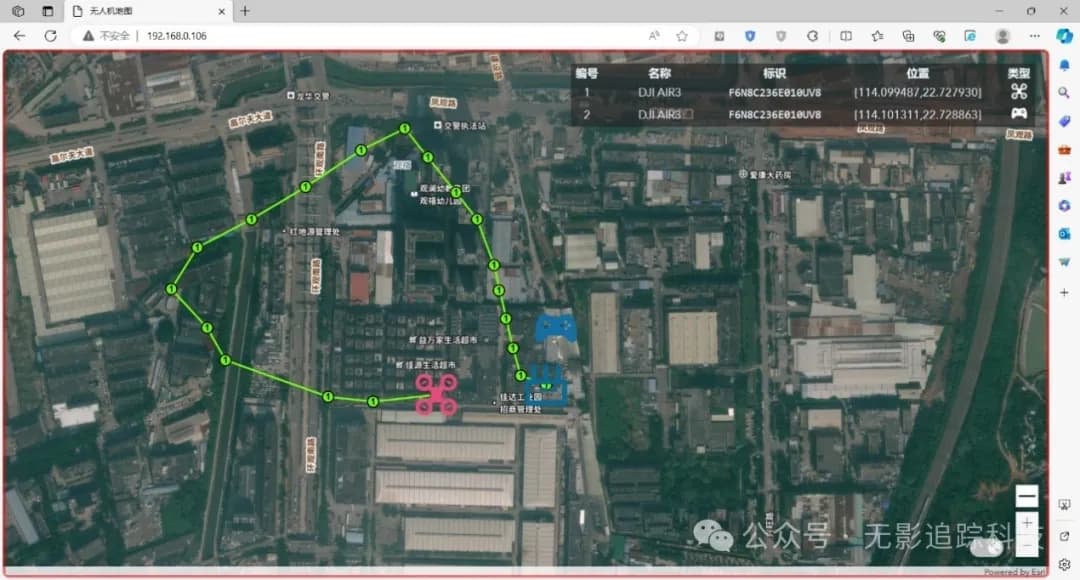
Figure 8: Map Displaying Drone Trajectory
Summary
The TrackBox_DLW02 host software provides comprehensive drone detection capabilities:
- Multi-interface Support: Supports both serial and Ethernet connections
- Real-time Spectrum: Real-time spectrum display in Ethernet mode
- Map Visualization: Web map displays real-time drone positions and flight trajectories
- Cross-platform Compatibility: Supports Windows and Linux systems
- Detailed Information: Provides comprehensive information including drone model, position, velocity, and pilot location
This software provides users with professional drone monitoring and analysis tools, supporting the development and deployment of anti-drone systems.