Following our previous introduction to the basic principles of Remote ID (RID), we're excited to release the "RID Detector" app to help you detect and locate nearby drones using your Android phone. The app is completely free to use, requires no registration, and works offline (only initial map loading requires internet).

Core Features
The RID Detector app uses your phone's built-in WiFi and Bluetooth chips to scan WiFi broadcast signals from drones, parsing RID messages that contain drone location, pilot position, and flight status information. Main features include:
1. Detect and Locate Nearby Drones
- Detection Range: <400m in urban areas, <1000m in suburban areas (depends on 2.4G electromagnetic environment)
- Supported Models: Over 100 models from DJI, Autel, FIMI, PowerVision, Parrot, Skydio, and more
- Supported Protocols: WiFi and Bluetooth broadcast protocols
Supported DJI Models:
- DJI Neo, DJI Flip, DJI Air 3S, DJI Air 3
- DJI Avata 2, DJI Mavic 3 Classic, DJI Mavic 3, DJI Mavic 3 Pro
- DJI Mini 3, DJI Mini 3 Pro, DJI Mini 2, DJI Mini 4 Pro
- DJI Mini 2 SE, DJI Mini 4K, DJI Mavic 4 Pro, and more
Supported Autel Models: Nano+, Evo V2, etc.
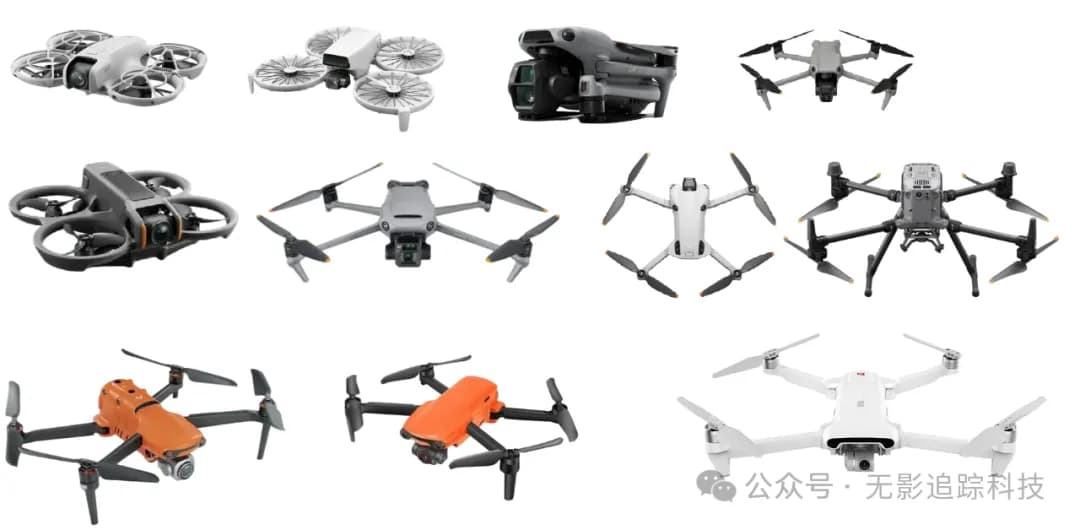
2. Detailed Drone Information Recording
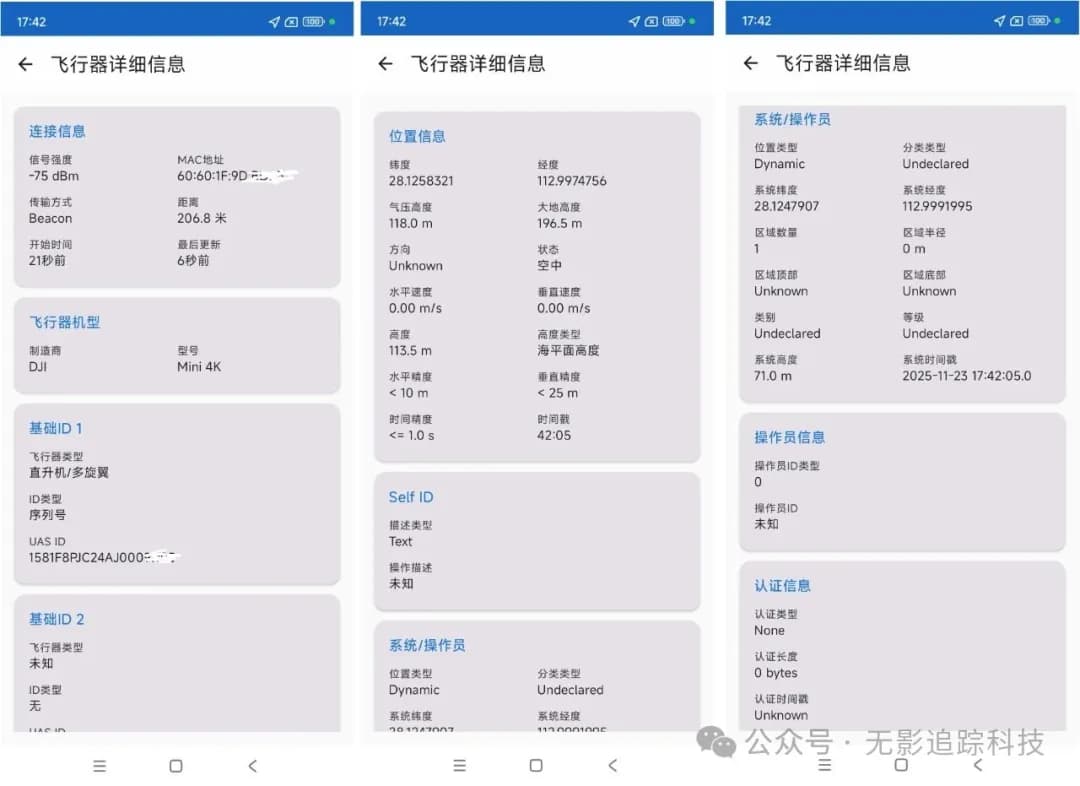
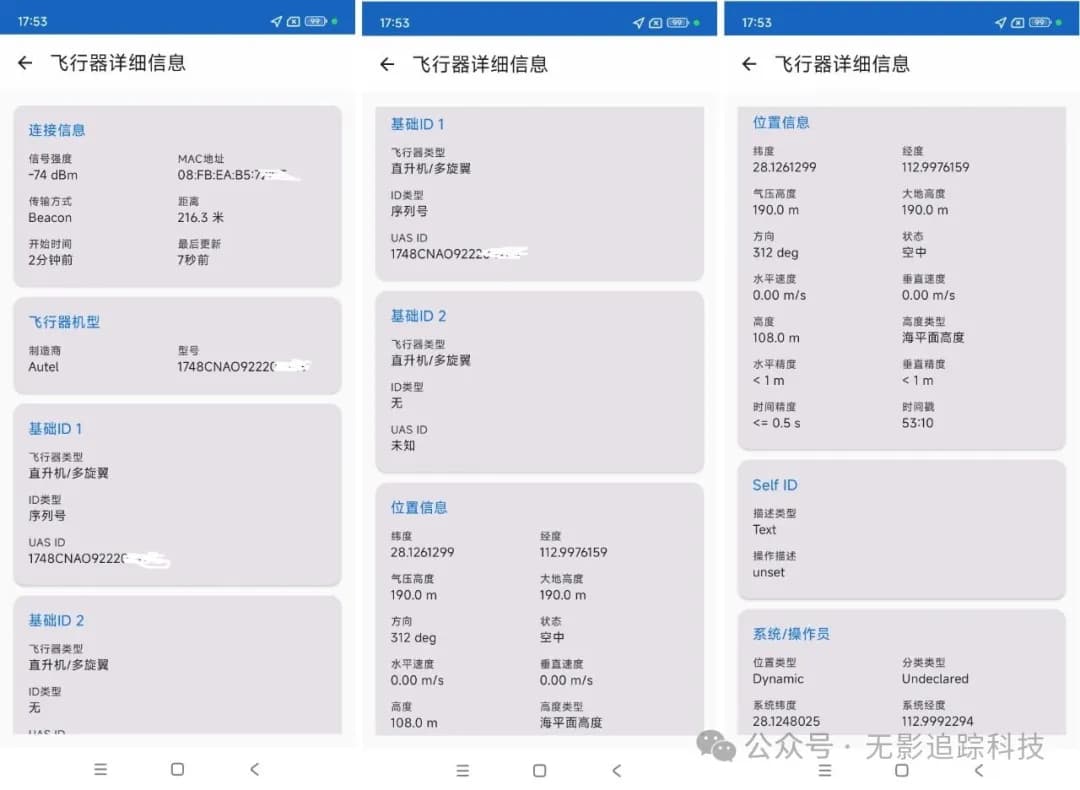
Records comprehensive drone information including:
- Unique serial number (matches the serial number printed on the drone)
- Pilot coordinates
- Flight altitude and elevation
- Speed and heading direction
3. Additional Useful Features
- Vibration alert when drone is detected
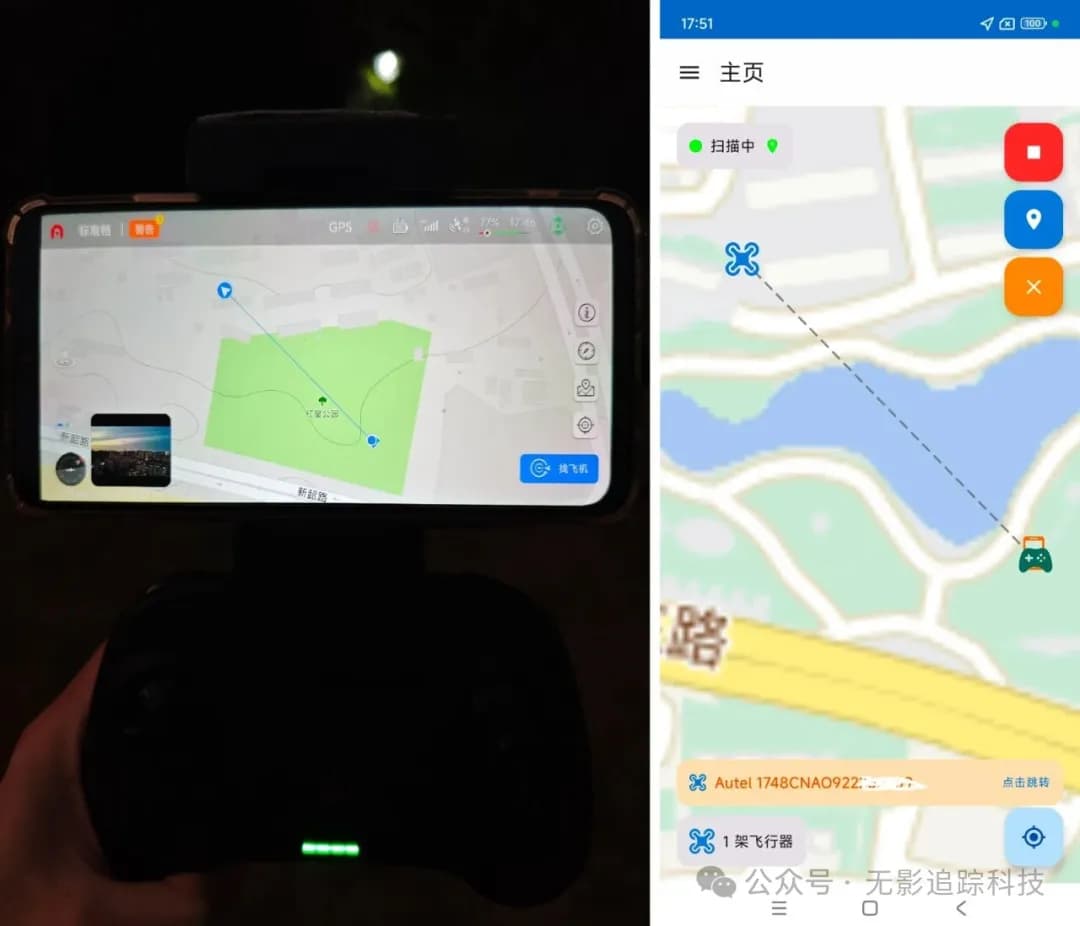
- Calculate distance between you and the drone
- Historical record viewing
- Support for both domestic and international maps
Use Cases
Protect Your Privacy

Use RID Detector to promptly discover nearby drones and protect your privacy from being violated.
Protect Your Property
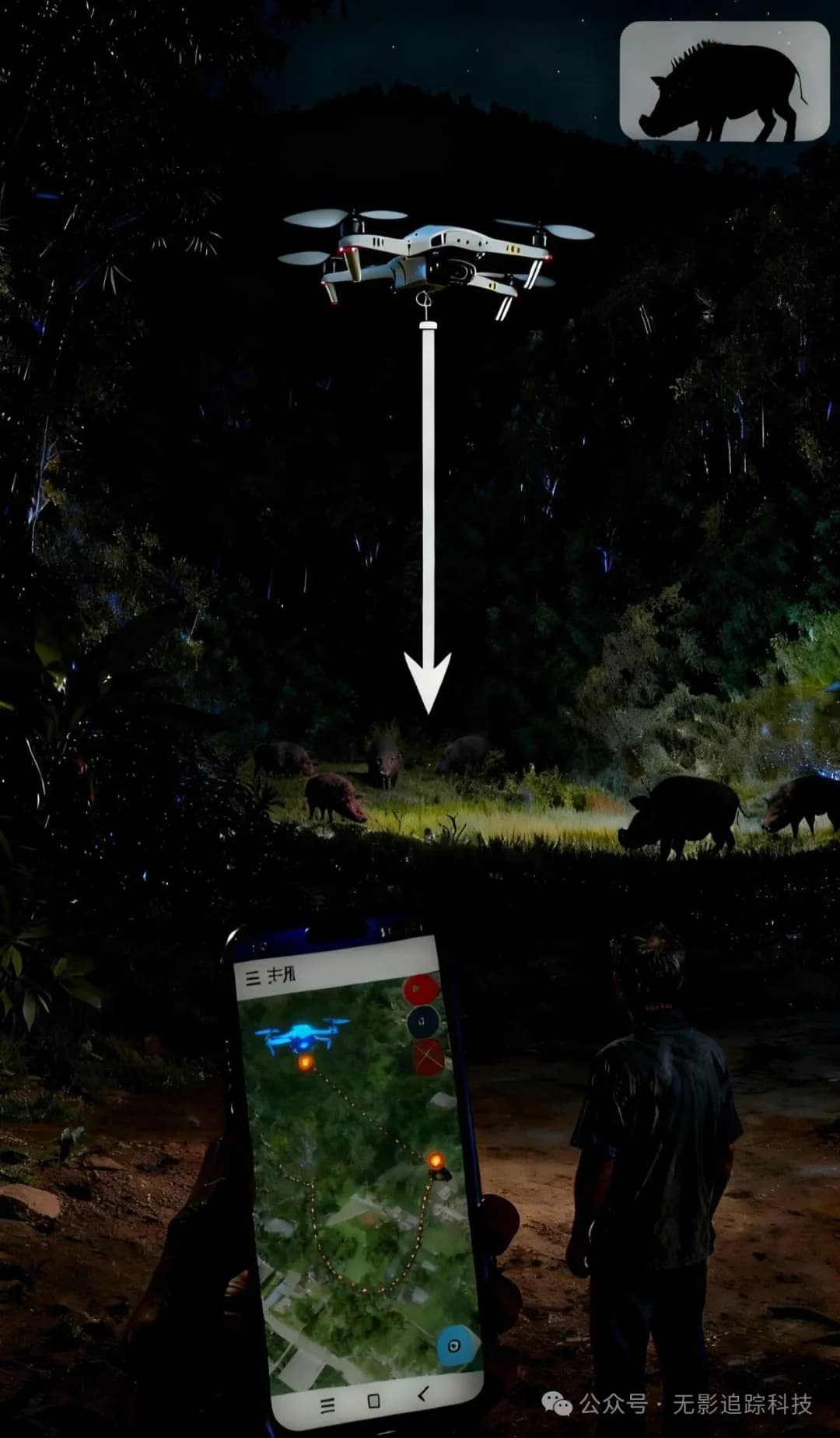
Real-World Testing
Test 1: Two Drones Powered On
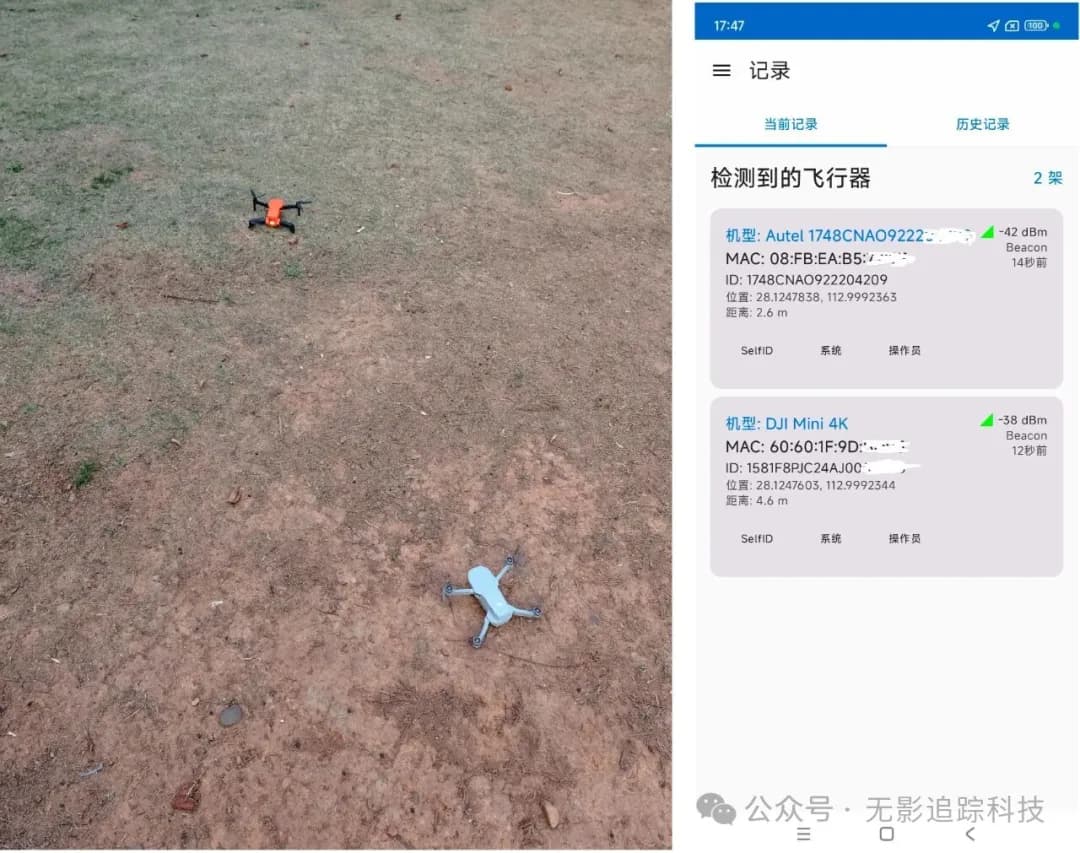
Test 2: DJI Drone Location in Urban Area - 207m
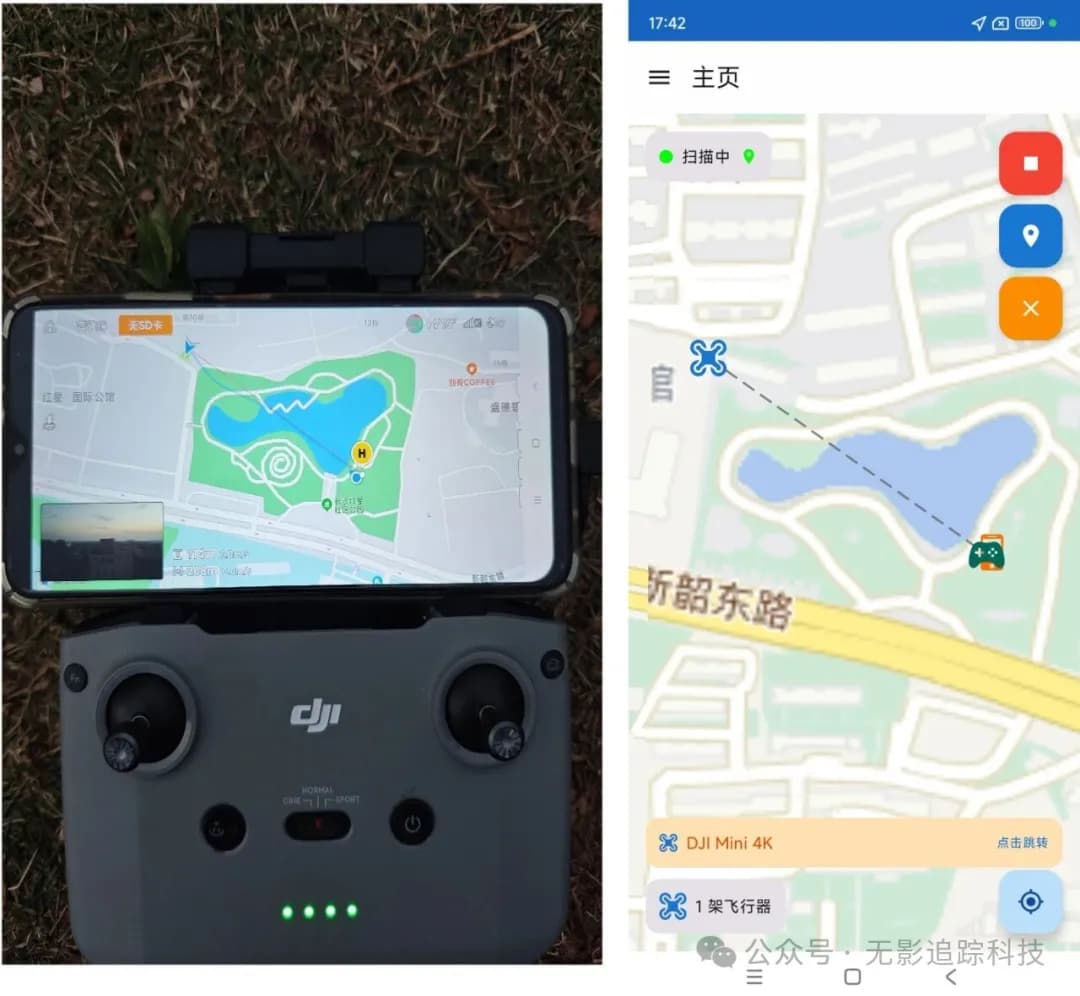
Test 3: Autel Drone Location in Urban Area - 216m
Download (Beta Version)
Download the Drone RID Detector app via cloud storage. Feel free to try it out and share!
Baidu Cloud Link:
https://pan.baidu.com/s/1MXJ9DI_SISTKCYq5kwBIcQ?pwd=3ead
Note: Please paste the URL into your browser to download
QR Code Download:
App User Guide
Feel free to explore the app and read the in-app operation guide. The interface is intuitive and user-friendly with all main features clearly accessible.
Note: This is a beta version, and we will continue to optimize and update it. If you have any questions or suggestions, please feel free to contact us.