RID Detector has recently received a major update, bringing users a more powerful drone detection and location tracking experience. The new version (v1.1.1) adds multiple practical features, making phone-based drone detection smarter and more convenient.
Major Updates
1. Support for Over a Dozen New Drone Models
This update extends support for many more drone models, including the highly anticipated Insta360 Ace A1 drone, making detection coverage more comprehensive.
2. Brand New Trajectory Features
This is the highlight of this update, including three major functions:
- Historical Trajectory Playback: Review and replay drone flight paths
- Auto-Recording: When a drone disappears for longer than the timeout period, the system automatically saves the data to historical trajectories
- Data Export: Historical trajectories can be exported in JSON and KML formats for data analysis and use in other mapping software
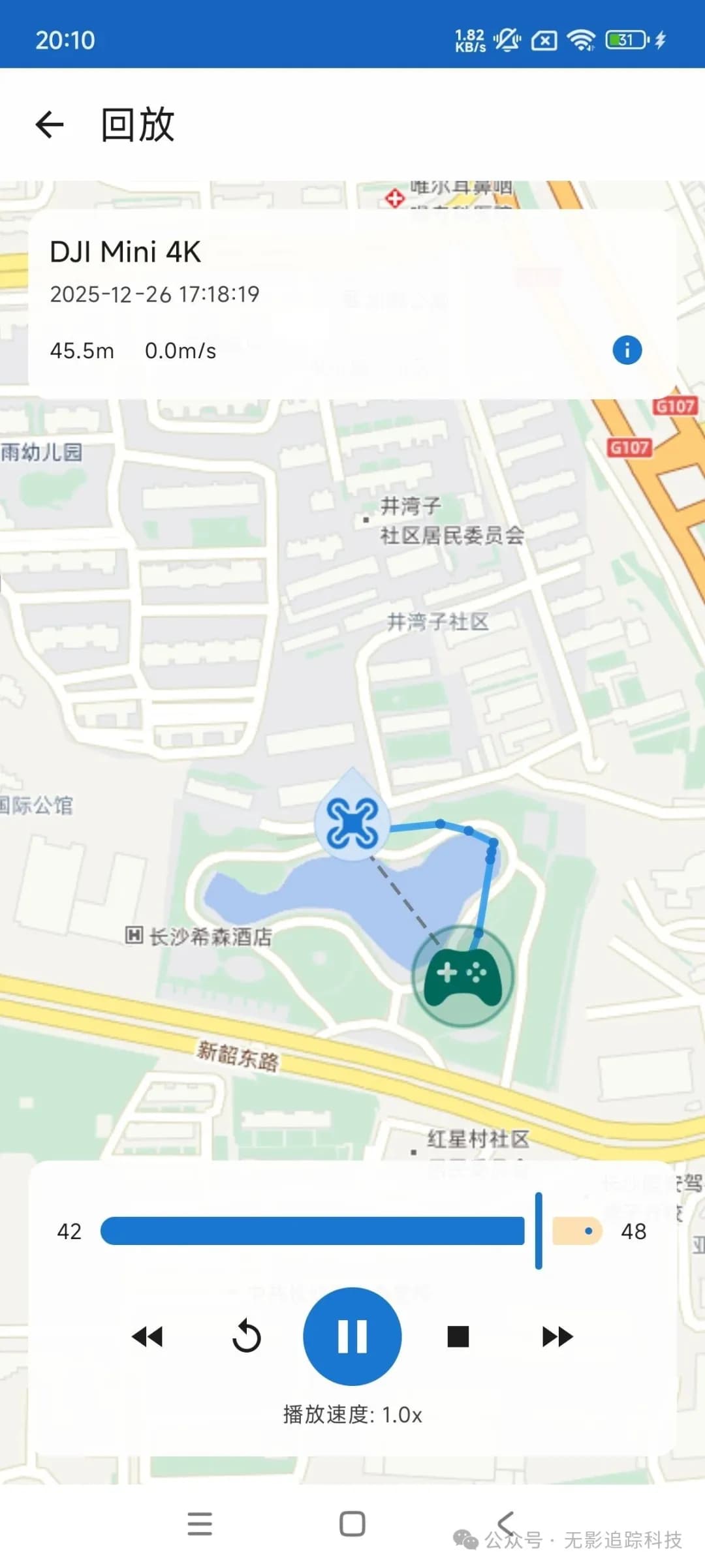
3. Enhanced Drone Icon Display
Updated drone icon design with heading direction display support. The new water-drop shaped icons point in the direction the drone is facing, making it more intuitive.
4. Map View Tracking Lock
New drone view tracking lock feature - the map can automatically follow selected drones, eliminating the need for manual view adjustments.
5. English Language Support
Added English interface for international users.
6. Optimized Data State Management
Improved drone data state management mechanism, resolving previous issues with incomplete data display, making information presentation more complete and reliable.
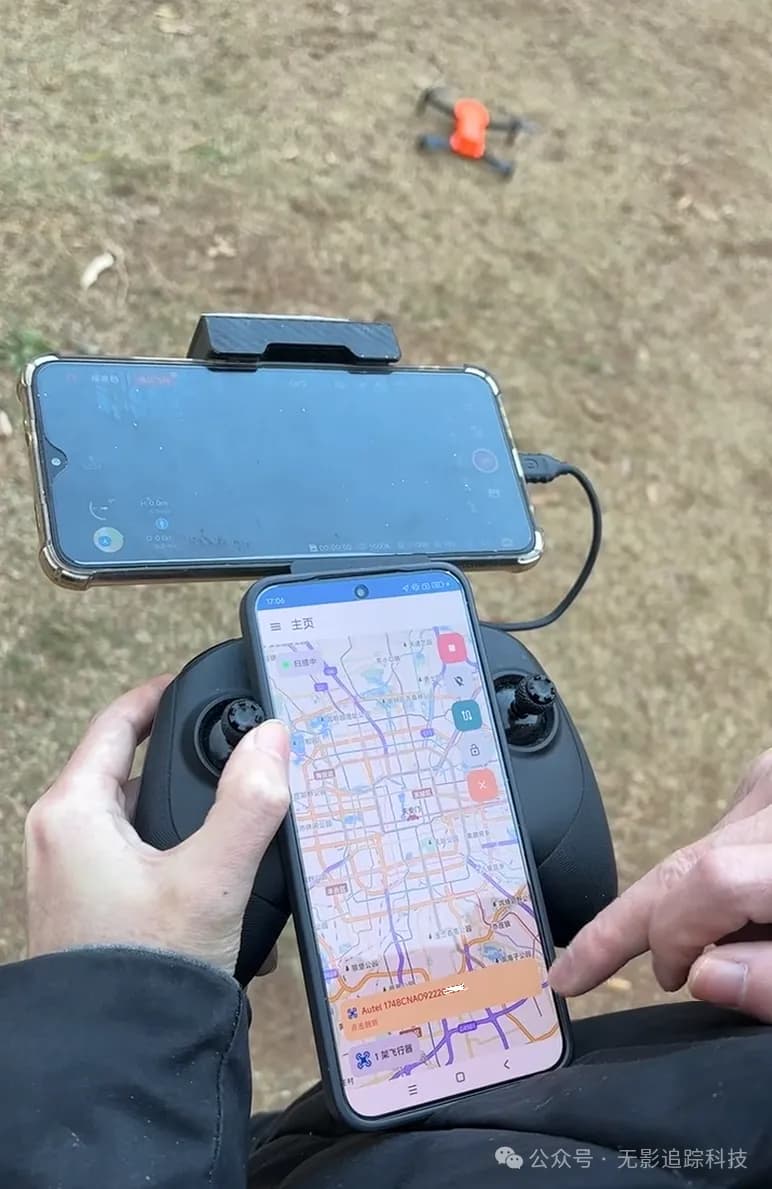
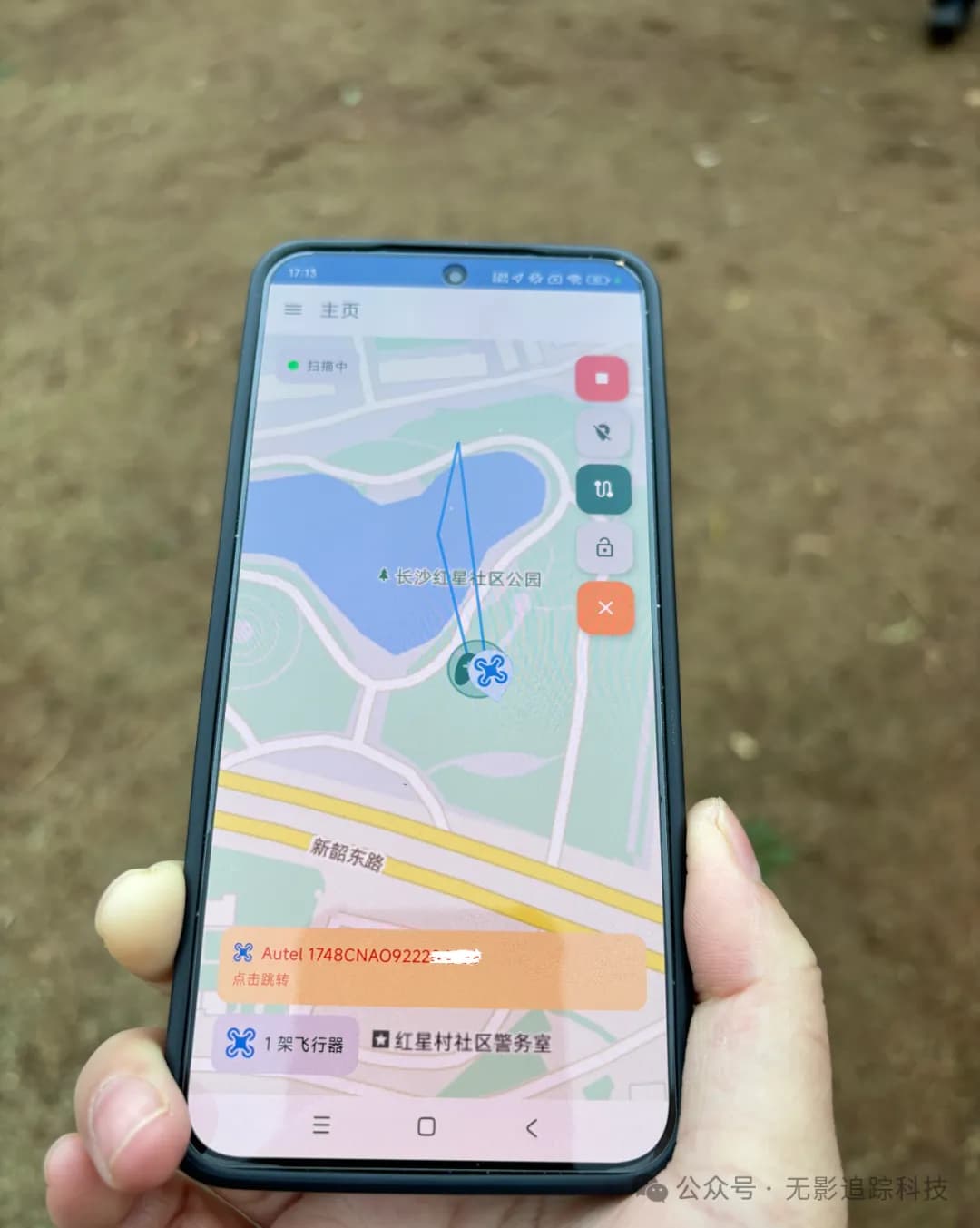
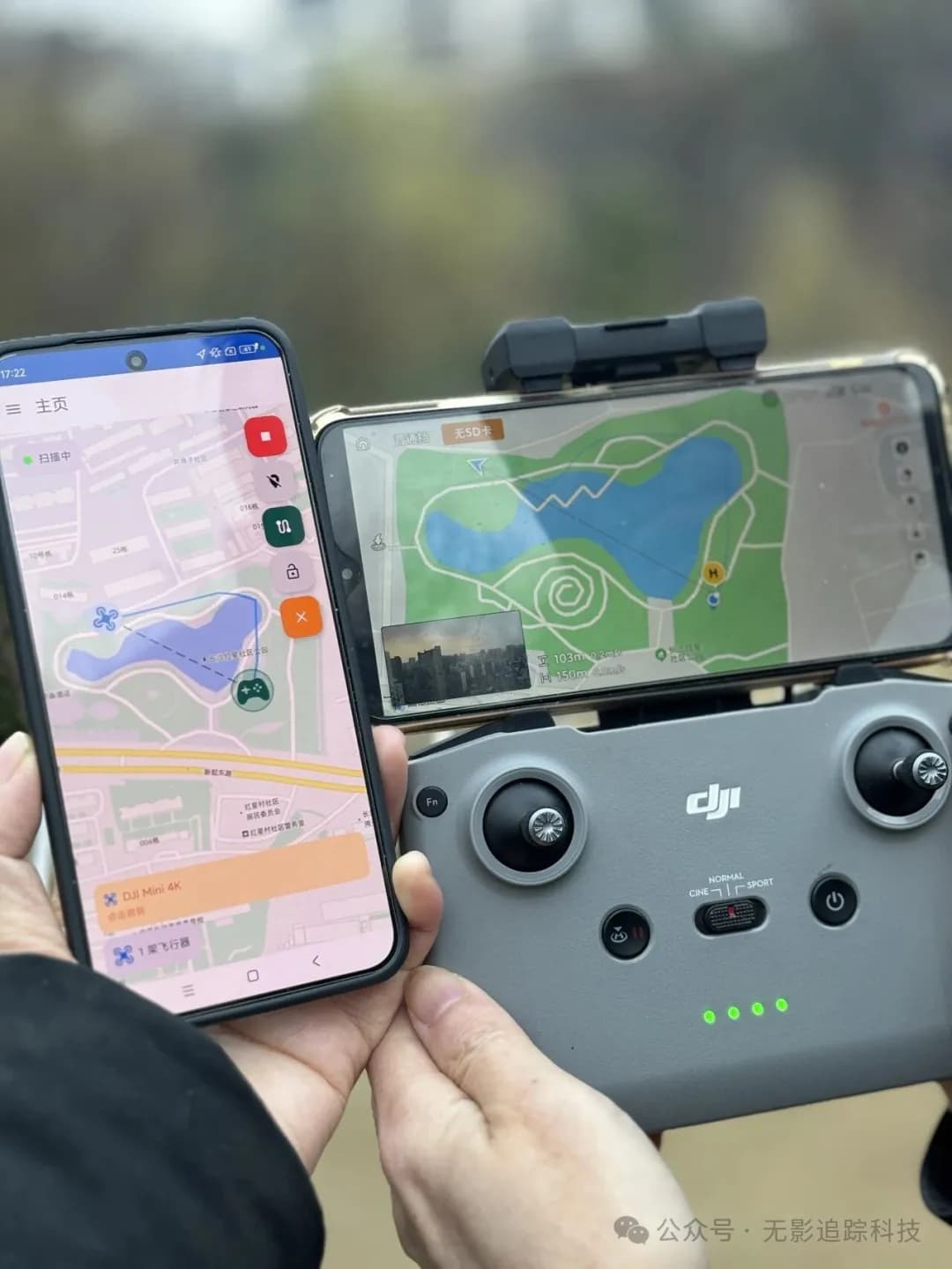
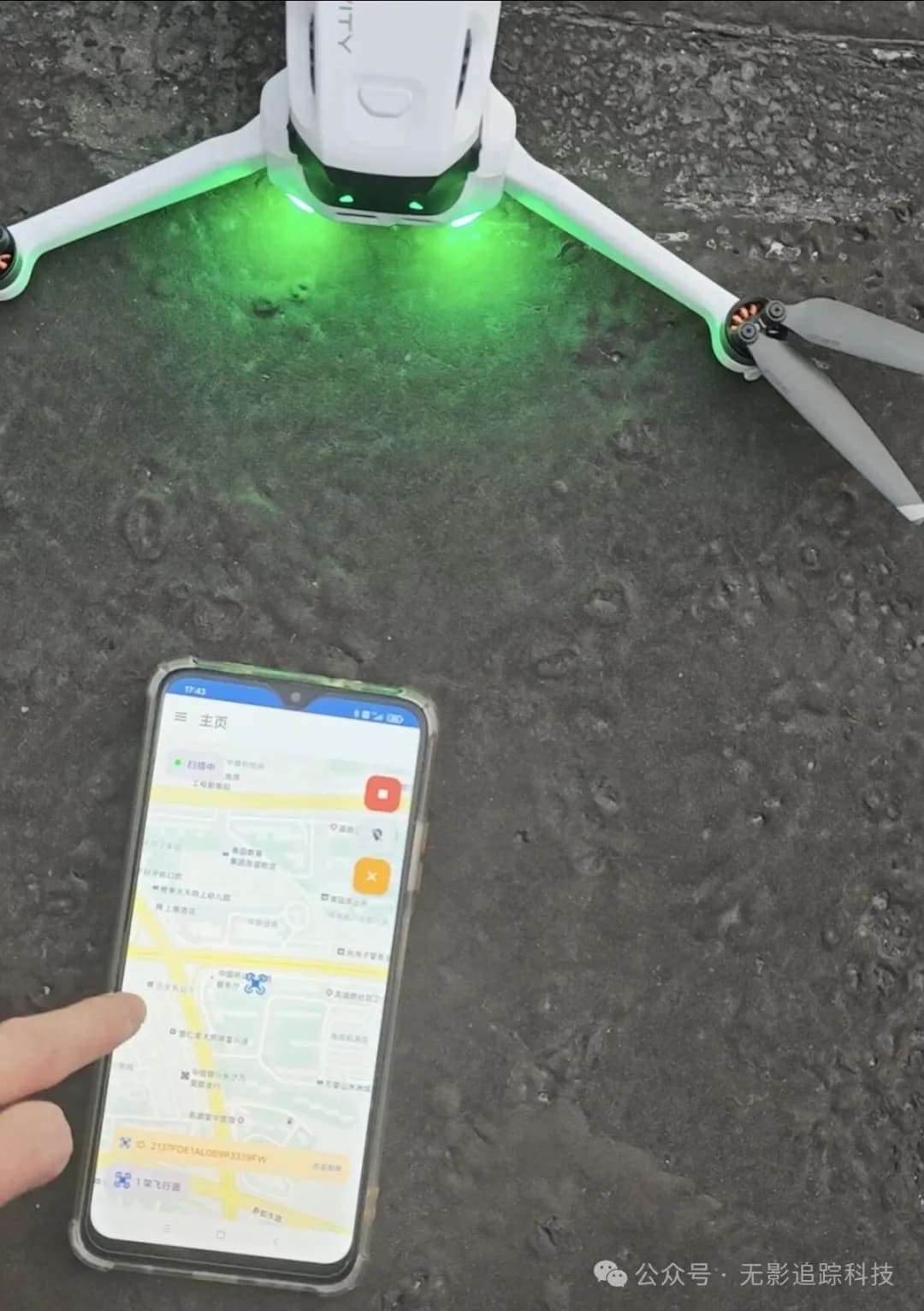
Real-World Testing Results
1. Autel Nano+
2. DJI Mini 4K
3. Insta360 Ace A1
Usage Notes
For the best user experience, please note the following:
-
WiFi and Bluetooth must be enabled before starting the scan
-
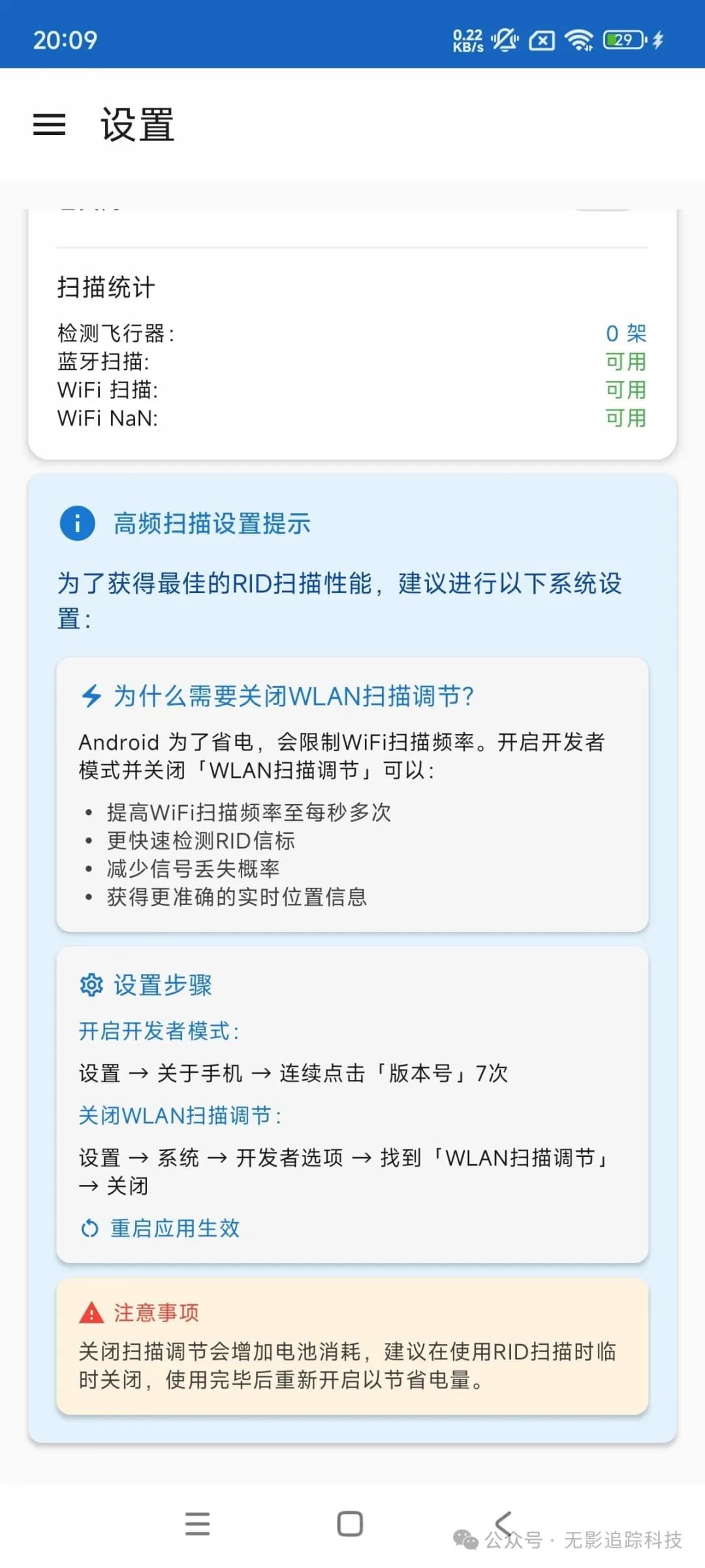
Disable Android WiFi scan throttling: This will improve refresh rates for a smoother experience. Some phones (such as HarmonyOS) may not have this option.
-
DJI Drone Detection Requirements:
- Propellers must be spinning or drone must be airborne to be detected
- Some older models (such as Phantom, Mavic 2, Mavic Pro, etc.) cannot be detected
- After May 1, 2026, when new drone regulations take effect, most drones will be detectable by the app
-
Location Requirements: Drones must be outdoors for accurate positioning
Download
Baidu Pan Share Link:
https://pan.baidu.com/s/1MXJ9DI_SISTKCYq5kwBIcQ?pwd=3ead
Google Drive Download Link:
https://drive.google.com/drive/folders/1W3y121ipa1Cm--58u_O6Mxa9-dseDWDd?usp=drive_link
Tip: Please copy the URL and open it in your browser to download
Version Information:
- Recommended version: v1.1.1
- Compatible version: If your phone doesn't support the new version, try v1.0.9
⚠️ Important Disclaimer
This application [RID Detector] is free software (beta version) designed to provide users with [nearby drone scanning functionality]. The developer makes no commitment regarding the continuity, stability, or completeness of the service. This application's functionality fully complies with the design intent of the national Remote ID standard. The developer and publisher are not responsible for any unethical or illegal actions taken by individual users using the location features.